
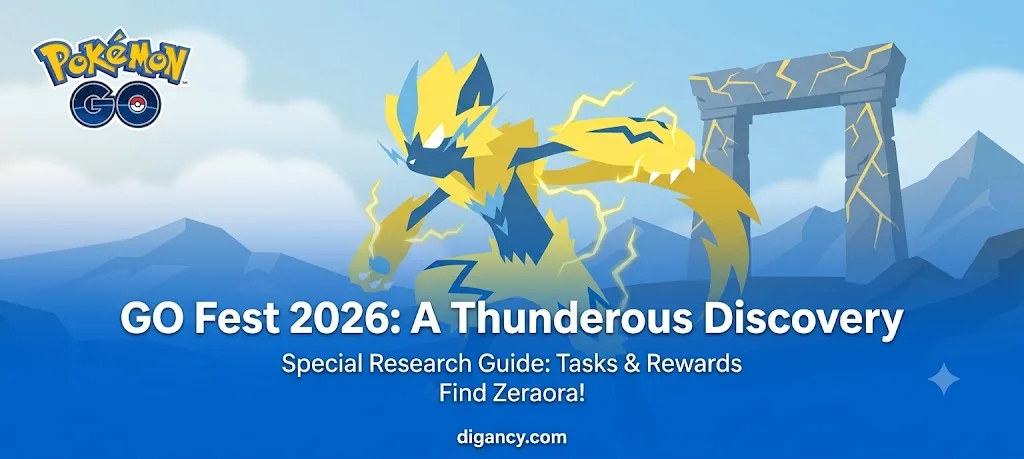
Pokémon GO Fest 2026 is officially here, bringing an exciting new Special Research story: A Thunderous Discovery. This event-exclusive research gives all players who log in during the event weekend a chance to encounter the mythical Thunderclap Pokémon, Zeraora.
The best part? Once you claim the research by logging in, it does not expire, so you can complete it at your own pace. Here is the step-by-step breakdown of the tasks and rewards revealed so far.
Zeraora
Zeraora is an Electric-type Mythical Pokémon originally discovered in the Alola region. Known as the Thunderclap Pokémon, it creates a powerful magnetic field by emitting strong electric currents from the pads on its limbs. This allows it to levitate and fly through the air at high speeds.
This GO Fest 2026 debut marks a massive opportunity for trainers globally to finally add this rare Pokémon to their Pokédex.
A Thunderous Discovery Special Research Guide
Step 1 of 8
| Task | Reward |
| Spin 8 PokéStops or Gyms | 1 Incense |
| Use an Incense | 26 Poké Balls |
| Catch 7 Pokémon | 1 Lucky Egg |
Step 1 Completion Rewards: 1 Star Piece, 6 Nanab Berries, and 1 Lure Module
Step 2 of 8
| Task | Reward |
| Explore 1 km | 26 Poké Balls |
| Use 10 Berries to help catch Pokémon | Pawmi encounter |
| Catch 15 different species of Pokémon | 2026 Stardust |
Step 2 Completion Rewards: 1 Incense, Tynamo Encounter, and 2026 Stardust
Step 3 of 8
| Task | Reward |
| Complete 3 Field Research tasks | Pikachu wearing a Team Instinct hat |
| Catch 3 Electric-type Pokémon | Pikachu wearing a Team Mystic hat |
| Power up Electric-type Pokémon 10 times | Pikachu wearing a Team Valor hat |
Step 3 Completion Rewards: 6 GO Fest 2026 Stickers, 1 Egg Incubator, and 2026 XP
Step 4 of 8
| Task | Reward |
| Explore 2 km | Electrode encounter |
| Make 8 Great Throws | Ninjask encounter |
| Make 5 Great Curveball Throws | Aerodactyl encounter |
Step 4 Completion Rewards: 2026 XP, 26 Ultra Balls, and 2 Premium Battle Passes
A Thunderous Discovery: Steps 5 through 8
Step 5 of 8
| Task | Reward |
| Battle in 3 Raids | 3 Max Revive |
| Win a Raid | 3 Max Potion |
| Catch 20 different species of Pokémon | 3 Golden Razz Berry |
Step 5 Completion Rewards: 2026 XP, 2 Super Incubator, and 2026 Stardust
Step 6 of 8
| Task | Reward |
| Explore 2 km | Bulbasaur with Pikachu Visor |
| Make 8 Excellent Throws | Charmander with Pikachu Visor |
| Make 3 Great Throws in a row | Squirtle with Pikachu Visor |
Step 6 Completion Rewards: 6 Zeraora GO Fest Stickers, Zeraora encounter, and 26 Zeraora Candy.
Note that you will only get Zeraora Candy if you have previously caught a Zeraora from the in-person GO Fest 2026.
Step 7 of 8
| Task | Reward |
| Take a snapshot of Zeraora | 1 Poffin |
| Earn a Candy exploring with Zeraora as your buddy | 3 Rare Candy |
| Earn 6 hearts with Zeraora as your buddy | 3 Silver Pinap Berry |
Step 7 Completion Rewards: 6 GO Fest 2026 Stickers, Zeraora T-shirt, and 2 Super Incubators.
Step 8 of 8
| Task | Reward |
| Catch a Pokémon on 7 different days | 2026 XP |
| Hatch 2 Eggs | 2026 Stardust |
| Send a Gift to a friend | 2026 XP |
Step 8 Completion Rewards: 6 Rare Candy, Poké Ball Shades, and 6 Zeraora Candy XL.
Tips for Completing the “A Thunderous Discovery” Quickly
Pop an Incense early: Step 1 requires using an Incense, and Step 2 requires walking 1 km, so keep moving to maximize your spawns.
Save your Berries: Hold onto your Nanab and Razz Berries for Step 2, where you need to use 10 of them to catch Pokémon.
Stock up on Electric-types: Keep an eye out for Electric-type spawns during event hours to quickly clear the Step 3 power-up and catching requirements.
- Master your throws: Step 4 requires Great Throws and Great Curveball Throws. Use Nanab Berries to calm aggressive Pokémon down or target larger species like Aerodactyl to make hitting the Great circle much easier.
I will update this article with the exact tasks and rewards for steps 5–8 as soon as they are fully revealed!
Manage your personalized search experience:
Add this site to your Google Search Preferences list