
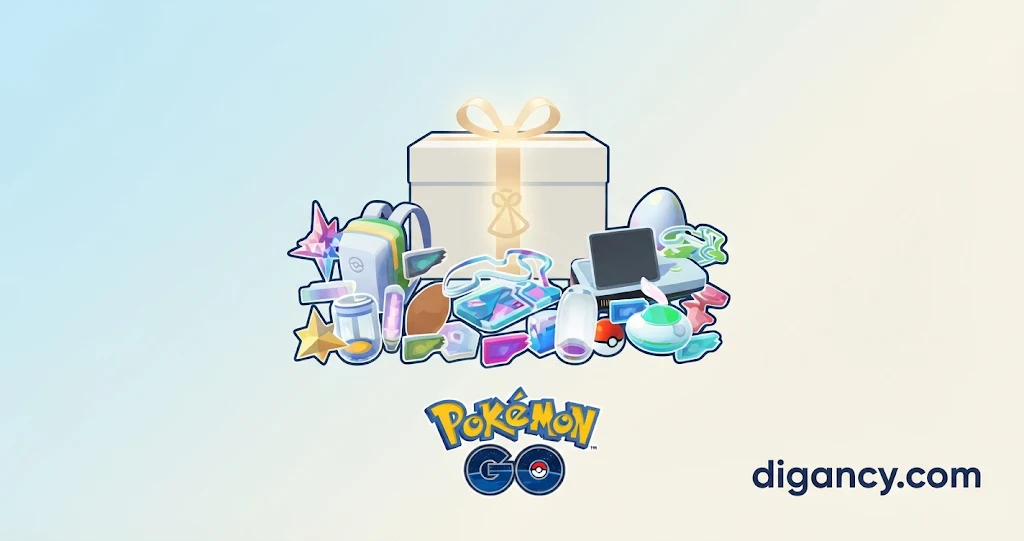
Paid Gifts are coming to Pokémon GO! This is a new social feature designed to make sharing the adventure even easier. This update allows players to purchase a wide variety of in-game shop items using real money and send them directly to friends, family, and fellow Trainers.
Whether you want to help a friend prepare for an upcoming raid hour, stock them up on storage upgrades, or surprise a teammate with a special event ticket, here is the complete breakdown of how paid gifts work, where they are currently available, and all the important rules to keep in mind before sending one.
Where Are Paid Gifts in Pokémon GO available?
At launch, the expanded paid gifting feature is rolling out selectively to Trainers in five specific regions:
Australia
Germany
South Korea
Mexico
France
While Trainers in these countries get initial access to the feature, the Pokémon GO team has confirmed plans to expand paid gifts to the entire global community in the future.
What Items Can (and Cannot) Be Gifted?
Unlike previous gifting mechanics that were strictly limited to specific event tickets, this new system opens up almost the entire in-game catalog. Trainers can purchase and send almost any item currently available in the Pokémon GO in-game shop.
However, there are several specific exclusions. You cannot send:
Limited-time boxes and packs
Stickers
PokéCoins
Team Medallions
Avatar items and poses
Bonus Perk for Senders: When you purchase a paid gift for a friend, you will earn Reward Points toward that month’s Reward Road. Note that the recipient of the gift does not receive these Reward Points—only the buyer does.
Paid Gifts Eligibility Requirements: Currency and Friendship
Before you start shopping for your friends, two strict eligibility rules apply to every transaction:
Friendship Level: You must have achieved a Friendship level of Great Friend or higher with the recipient.
Matching Currency: Both you and the receiving Trainer must use the same currency. You cannot send paid gifts across different currencies. Because currencies are determined differently depending on the app store your device uses, your eligibility to send or receive gifts may vary based on your specific device’s app store.
Quick Tip on App Store Currencies: Because your in-game currency is tied to your device’s app store storefront (such as the Apple App Store or Google Play Store) rather than just where you’re physically traveling, two friends playing in the same place can still run into a currency mismatch if their accounts are billed in different currencies.
Step-by-Step: How to Send a Paid Gift
Sending a paid gift must be done directly inside the mobile app. Paid gifts cannot be purchased or sent through the Pokémon GO Web Store at this time.
Follow these seven steps to send an item:
Open the In-Game Shop: Navigate to the standard shop inside your Pokémon GO app.
Choose Your Item: Select the eligible item you want to gift.
Tap the Gift Button: Look for and tap the dedicated Gift icon on the item screen.
Pick Your Recipient: Select the eligible friend (Great Friend or higher, using the same currency) from your friends list.
Confirm Your Selection: Double-check the item and the recipient to make sure everything is accurate.
Complete the Purchase: Enter your payment details using your device’s native in-app purchase payment screen.
Send It Off: Once the payment processes, your paid gift is immediately on its way to your friend!
What Happens After You Send It: Once processed, the gift is delivered in-game for your friend to claim—so you don’t need to wait for them to be online at the exact moment you buy it. Keep in mind that if a friend has paused paid gifts from you or opted out of receiving them in their settings, the gift won’t go through as expected.
Important Rules, Limits, and Privacy Controls
Because paid gifts involve real-money transactions, Scopely Explore and the Pokémon Company have put several guardrails and privacy settings in place to protect both senders and recipients:
Daily Sending Limit: You can send up to 20 paid gifts per day. This cap is completely separate from the standard free Gifts you spin from PokéStops and Gyms.
Real Money Only: Paid gifts cannot be bought using your existing PokéCoin balance; they must be purchased directly with real money.
No Cancellations or Refunds: Once a paid gift is sent, it cannot be canceled or taken back. Paid gifts are strictly nonrefundable, subject only to applicable local laws and specific exceptions outlined in the Terms of Service.
Check Before Gifting Event Tickets: If you plan to gift a timed event ticket or a GO Pass Deluxe, confirm with your friend beforehand that they are actually free to play during the event window. You can check the Pokémon GO Help Center for specific details regarding potential refund policies on tickets.
Opt-Out and Pause Controls: Players have full control over whether they receive paid items. Trainers can choose to opt in or opt out of receiving paid gifts entirely, or they can pause paid gifts from specific friends. Instructions on managing these settings are available at the Pokémon GO Help Center.
Manage your personalized search experience:
Add this site to your Google Search Preferences list